

3 reviews for Lightroom and ACR Presets | Heritage Matte
Only logged in customers who have purchased this product may leave a review.
LIGHTROOM & ADOBE CAMERA RAW PRESETS
Neutral warmth with a velvety matte finish.
The Heritage Matte Collection by Twig & Olive Photography is striking and full of beautiful neutral brown-based tones.
$75.00
THE COLLECTION
A named look gives you a starting point while leaving the photograph in your hands.
If you are looking for incredible (yet subtle) warmth and tone, this is the set for you. For specific use with Lightroom or Adobe Camera Raw, the Heritage Matte Collection is the right choice for the photographer who wants velvety soft and distinctive tones in their images. Like Fernweh North and South this specific set adds brightness and warmth with neutral undertones. As with all of our presets, these work best on images taken in open shade or during golden hour.
BEFORE & AFTER

 BeforeAfter
Artie. Compare the starting photograph with the finished product example.














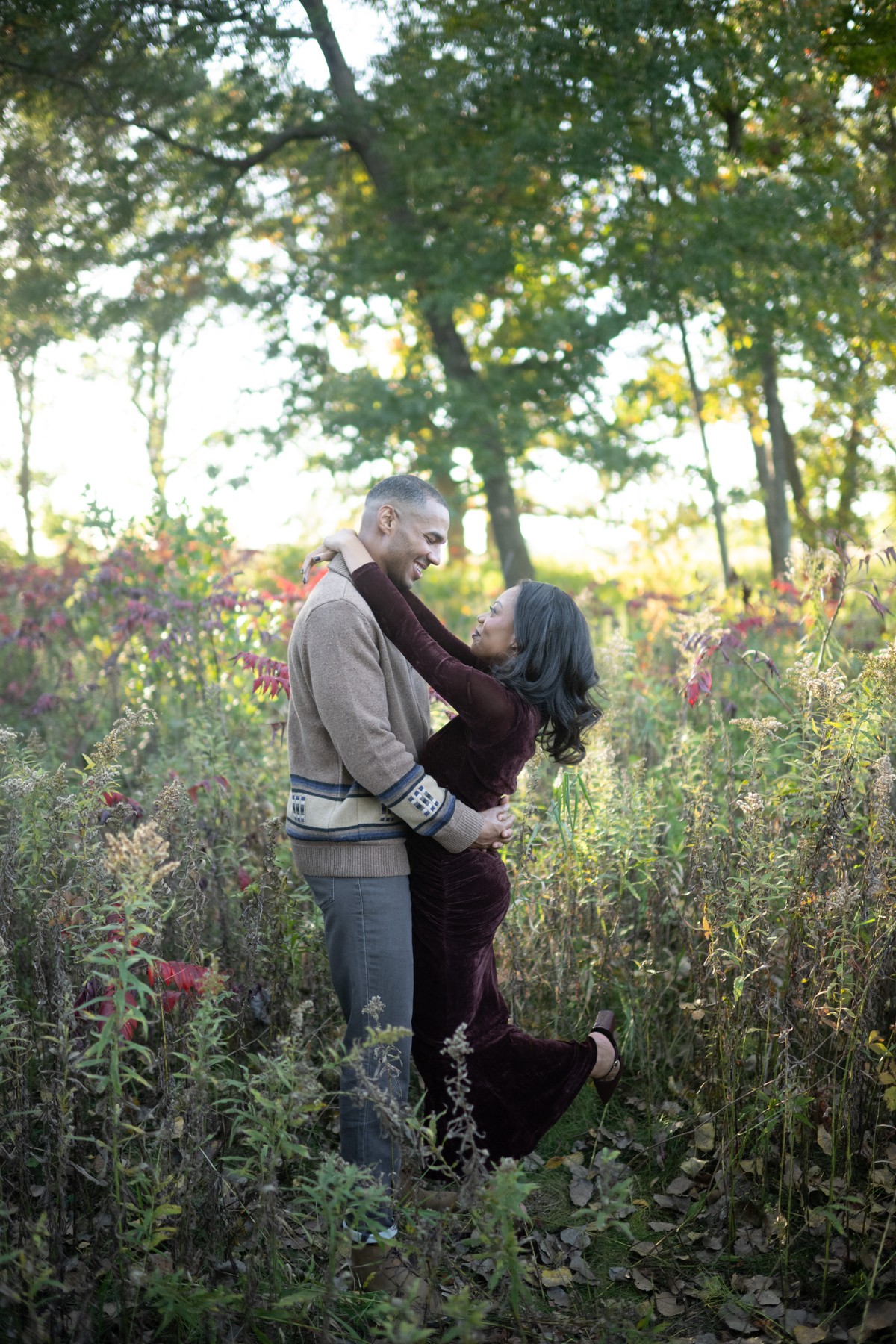
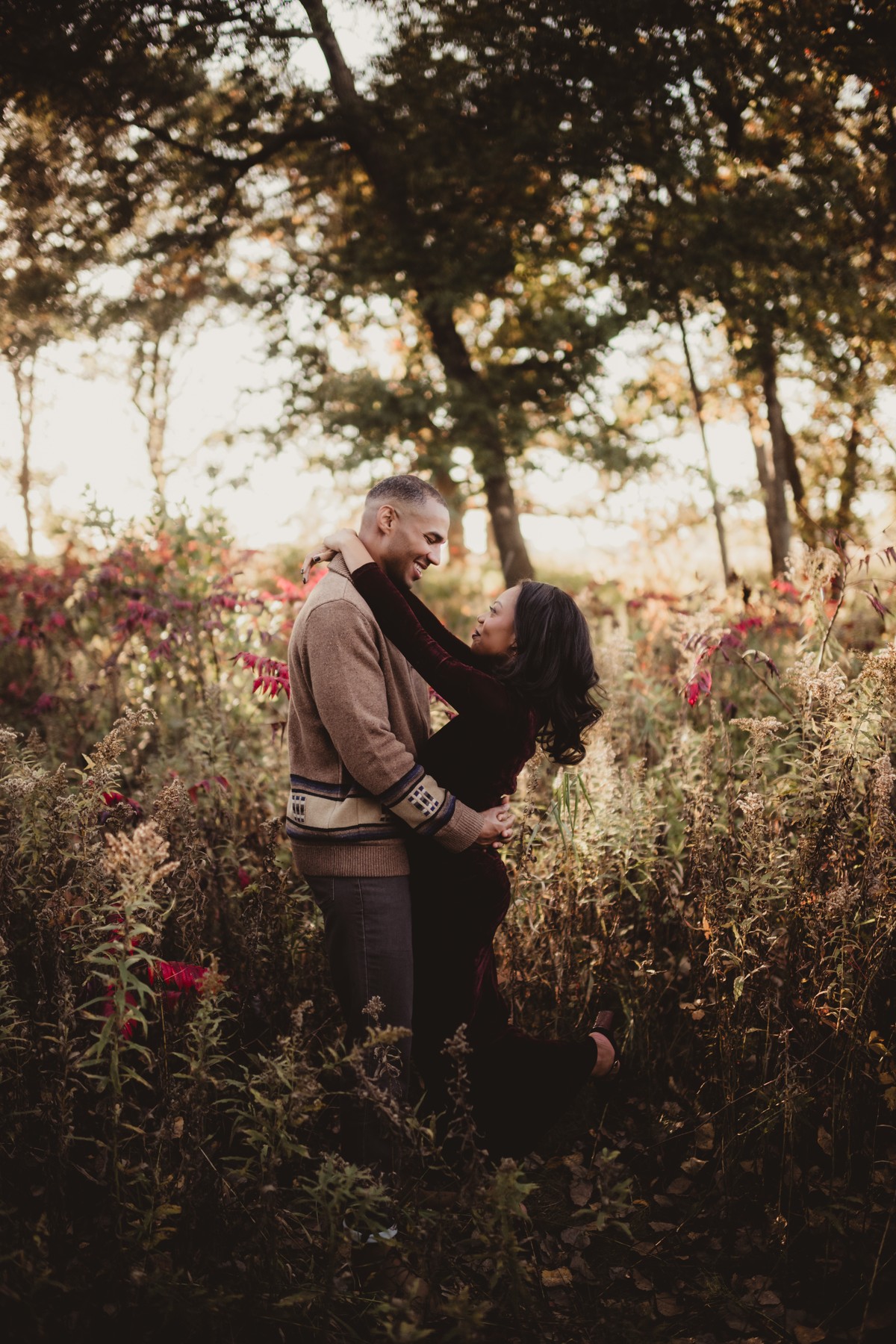
A CLOSER LOOK
Selected product examples. Choose a photograph to see it larger.
View largerView largerView largerView largerView largerView largerView largerView largerView largerThese are finished product examples. The photograph, starting edit and any individual adjustments affect the result. Use the examples as a direction for your own edit.
WHAT YOU GET
Your download includes 15 named looks as current XMP presets with matching LRTemplate copies for compatible older Lightroom, plus two guides and the license.
15 XMP presets and 15 matching LRTemplate files. The XMP folder is the current format; the LRTemplate folder is for compatible older Lightroom.
Import routes for Lightroom Classic, Lightroom desktop, Adobe Camera Raw, mobile, and older Lightroom.
Also included: Getting the Most from Your Presets. Practical guidance for choosing a look, checking Exposure and white balance, and refining the result for each photograph.
Plain-language terms for personal and client work, and how digital purchases work at Twig & Olive.
YOUR PALETTE
BEFORE YOU CHOOSE
Check the included files and your Adobe app before you order.
Use the supplied preset format in Lightroom Classic, Lightroom desktop, Adobe Camera Raw, Lightroom mobile (loose XMP import). Adobe software is purchased separately.
Apply one look, then check Exposure, white balance, highlights, shadows, and important detail for that photograph.
RAW files, such as Nikon NEF and Canon CR3, provide the most editing latitude. Existing JPEG and HEIC photographs can be edited, but their result and recovery latitude differ.
These XMP files use Adobe Standard, Default Color.
The named set includes 1 black-and-white look.
One license covers the person or business named on the order, including client photographs. Keep the preset files within that licensed person or business.
IN YOUR EDITING WORKFLOW
Apply one Heritage Matte preset to a representative photograph.
Adjust Exposure, Temperature, and Tint for the subject and light, then inspect highlights, shadows, and important detail.
Copy the edit to photographs made in similar light, then check each image and adjust the exceptions.
FROM PHOTOGRAPHERS
Only logged in customers who have purchased this product may leave a review.
This product is a digital download and is therefore non-refundable. Once purchased, you will immediately gain access to the product, making refunds or exchanges unavailable under any circumstances.
To ensure you select the correct product, we strongly encourage you to review the product details carefully before purchasing. If you have any questions or concerns about the product, please contact us before buying, and we’ll be happy to assist you in making the right choice.
By completing your purchase, you acknowledge and agree to these terms.
A FEW USEFUL ANSWERS
The answers most people ask for before they order.
The Heritage Matte Collection by Twig & Olive Photography is striking and full of beautiful neutral brown-based tones.
You get 15 presets in XMP and legacy LRTemplate formats, installation and editing guides, and the license.
Light, camera, subject, file type, and starting exposure all affect the result. Check Exposure, Temperature, and Tint after applying a look.
Existing JPEG and HEIC photographs can be edited, but their result and recovery latitude differ from RAW files. Use a RAW photograph for the most editing flexibility.
Yes. The license covers personal and commercial work for the person or business named on the order, including photographs delivered or sold to clients. Twig & Olive claims no rights in those photographs. Keep the preset files within the licensed person or business.
Extract the ZIP you downloaded.
Lightroom Classic: in Develop, open the Presets panel plus menu, choose Import Presets, and select 03 Presets/Heritage_Matte_XMP.zip.
Lightroom desktop: choose File > Import Profiles & Presets, open 03 Presets/XMP, select the loose .xmp files, and choose Import.
Lightroom mobile: extract the package, open a photograph and Presets, then choose Import Presets from the menu and select the loose .xmp files in 03 Presets/XMP.
Adobe Camera Raw: open Presets, choose Import Profiles & Presets, and select the included XMP preset ZIP.
Older Lightroom: in Develop, right-click User Presets (Control-click on Mac), choose Import, and select the .lrtemplate files in 04 Legacy Lightroom. Restart Lightroom if they do not appear.
Except where required by law, digital sales are final when payment is completed. We do not offer refunds or exchanges for a change of mind, choosing the wrong collection, or buying this product when you needed Photoshop actions. Please check the product type and software requirements before you buy.
If you accidentally purchase the same collection twice, email us with both order numbers. We review confirmed duplicate purchases individually and may make an exception.
If a download is missing, damaged, or does not match its description, contact us so we can help with the correct working files. This policy does not limit consumer rights or remedies that apply by law. Email [email protected].
LIGHTROOM & ADOBE CAMERA RAW PRESETS
Choose a look, then shape it around your photograph. 15 named looks in one digital collection.


Joanne McKillip (verified owner) –
Absolutely Love these! Can’t wait to use them more!
Janelle Connor (verified owner) –
I also purchased the spring gem Lightroom presets, but these are definitely my favourite for Fall/Winter. Love the tones and works perfectly with T&O Photoshop actions! Looking forward to using these throughout the winter and trying them when things warm up!
Crystalina Sosa (verified owner) –
I absolutely love these presets! It really works with my images no problem!