



Choosing a product
Find the right starting point and narrow the choices.
Twig & Olive Shop
Software from Twig & Olive for working photographers. Check each product’s requirements to find the right fit for your setup.
Explore the collection
Choose a source folder, set format, quality and size, then choose a destination.
From
A folder of images.
Choose
Output format and quality, and a longest-side size.
To
Where the processed images go.
In development
Development previews; not available to purchase.
Showing all 4 results
Desktop app
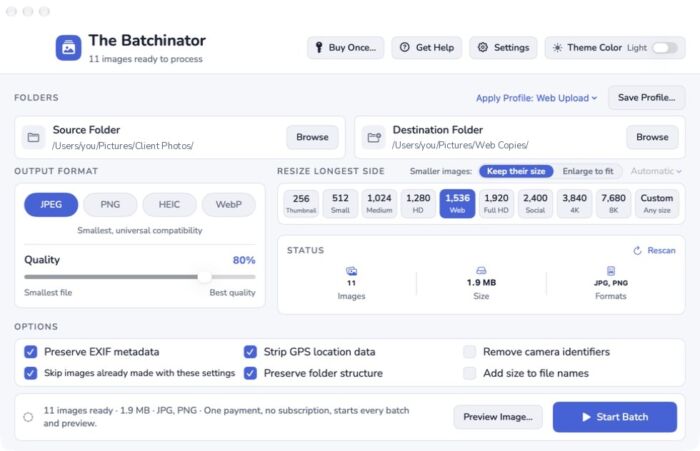
Resize a whole folder of pictures, all at once. Shrink larger pictures or enlarge smaller ones where supported. · Operating systems: macOS 14 or later, Apple Silicon and Intel
Desktop app
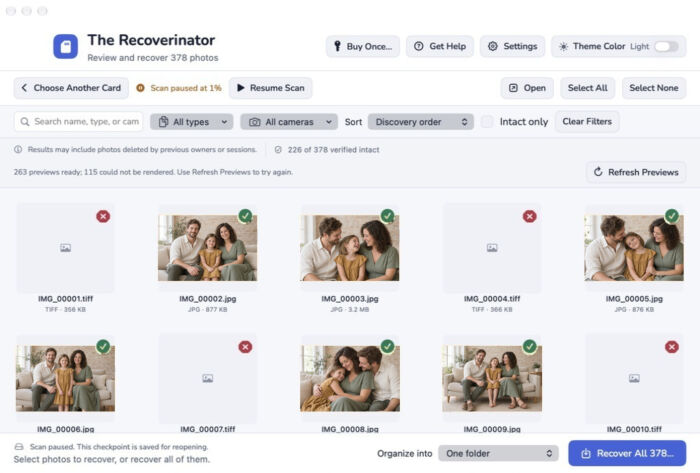
Find deleted photos on a memory card with your Mac. Scanning is free, and a one-time license adds full-size recovery. · Operating systems: macOS 13 or later, Apple Silicon and Intel
Check the supported operating systems and version requirements on each product page before you buy. WordPress plugins list their WordPress and PHP requirements separately.